Watch YouTube
at your speed
Precise playback control from 0.1x to 4x. Keyboard shortcuts. Speed memory. No bloat, no tracking.
Free forever, no account needed
Everything you need
Simple, focused tools to control your viewing experience.
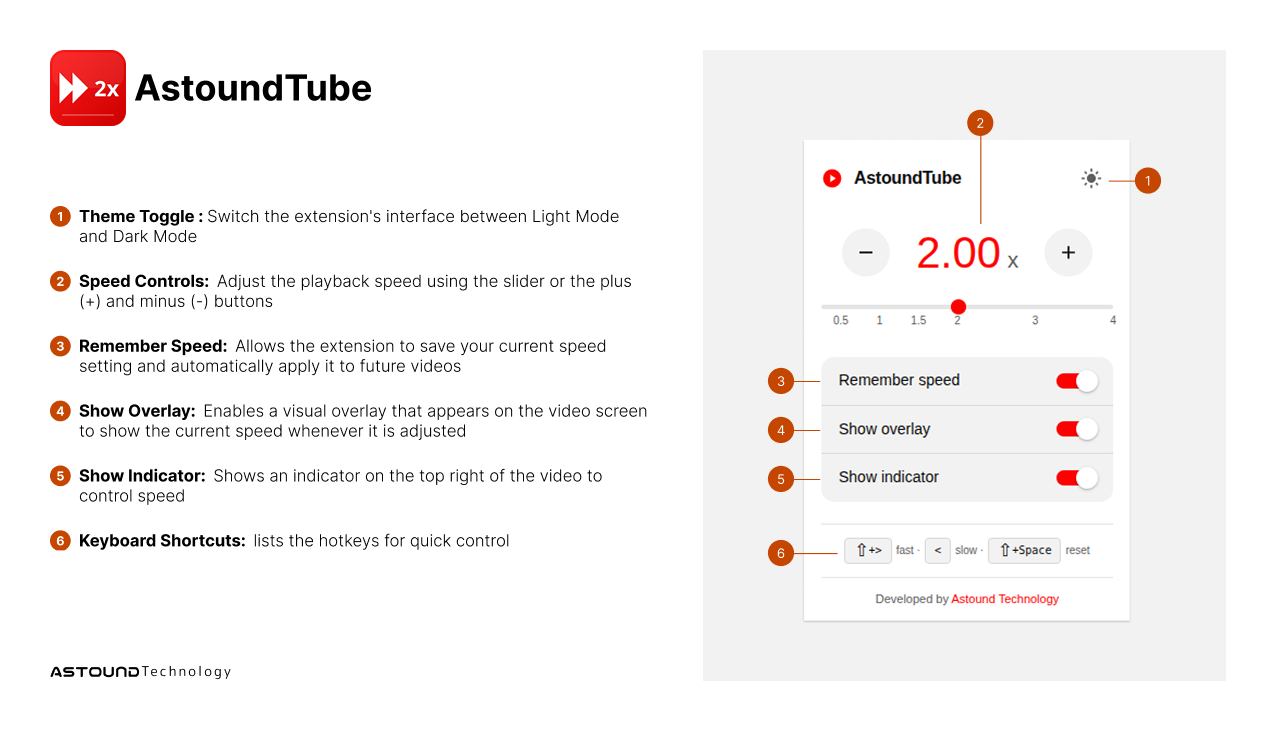
Keyboard Shortcuts
Speed up with Shift+>, slow down with <
Precise Control
0.1x to 4x range with fine-grained increments for perfect speed.
Speed Memory
Remembers your preferred speed. Perfect for courses and tutorials.
On-Screen Display
Minimal overlay shows current speed without distraction.
Privacy First
Zero tracking. No analytics. All data stays on your device.
Lightweight
Only ~40KB. No bloat, no slowdowns, just works.
Crafted for focus
Minimal controls that stay out of your way.
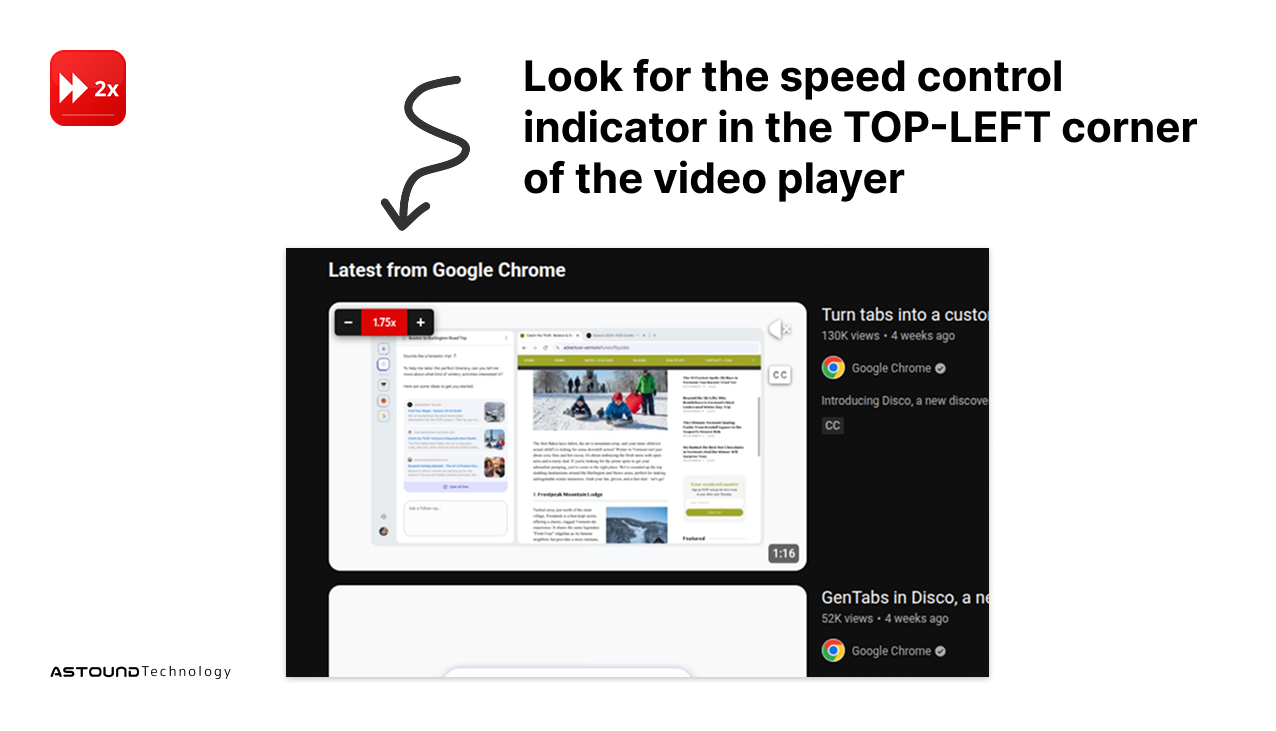
Thumbnail Controls
Hover any video thumbnail to set your preferred speed before watching. Quick, intuitive, always accessible.
Quick Settings
Toolbar popup with speed slider and presets.
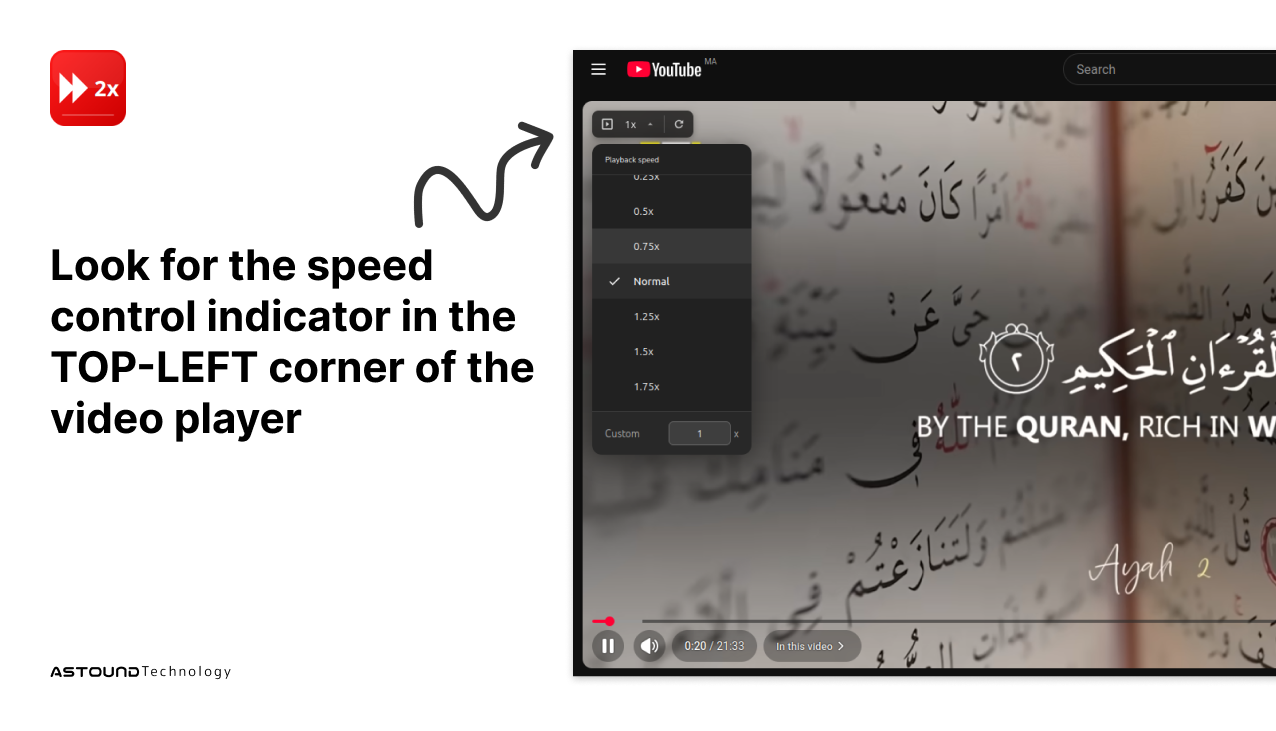
On-Screen Display
Minimal overlay, appears only when needed.
Get started in seconds
Free forever, no account required.
Firefox
Add-ons Store
Chrome
Web Store
Frequently Asked Questions
Is AstoundTube really free?
Yes! AstoundTube is 100% free with no premium features, subscriptions, or hidden costs. All features are available to all users.
Does AstoundTube collect my data?
No. AstoundTube does not collect, store, or transmit any user data. All settings are stored locally on your device. We respect your privacy completely.
What keyboard shortcuts are available?
Press Shift+> to increase speed, < to decrease speed, and Shift+Space to reset to normal (1x) speed. These shortcuts work anywhere on YouTube.
Can I set custom playback speeds?
Absolutely! You can set any speed from 0.1x to 4x with fine-grained control. Use the slider or enter a custom value directly in the popup.
Will AstoundTube slow down my browser?
No. AstoundTube is lightweight and optimized for performance. It only runs on YouTube pages and has minimal impact on your browser's speed.