Download Google Drive
folders as encrypted ZIPs
AES-256 password-protected ZIP files. Uses your existing Google session. No API keys, no OAuth, no bloat.
Free forever, no account needed
Google Drive ZIP Downloader Features
Secure, private, and effortless Google Drive folder downloads with encryption.
AES-256 Encryption
Password-protect your ZIP files with industry-standard AES-256 encryption. Military-grade security for your data.
No API Keys Needed
Works with your existing Google session. No OAuth setup, no API configuration, no developer accounts.
Subfolder Support
Recursively downloads entire folder trees with full structure preserved. Up to 20 levels deep.
Google Workspace Export
Exports Google Docs, Sheets, Slides, and Drawings to standard formats (.docx, .xlsx, .pptx, .png).
SHA-256 Checksum
Optional file integrity verification. Get a cryptographic hash to verify your downloads are complete.
100% Local Processing
All ZIP building happens in your browser. Nothing leaves your device. Zero tracking, zero cloud uploads.
Supported File Conversions
Google Drive Extension Interface
Seamlessly integrates with the Google Drive interface you already know.
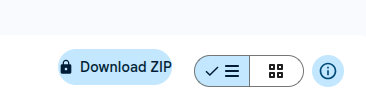
Toolbar Integration
A "Download ZIP" button appears directly in the Google Drive toolbar. Click it to start downloading any folder as an encrypted ZIP.
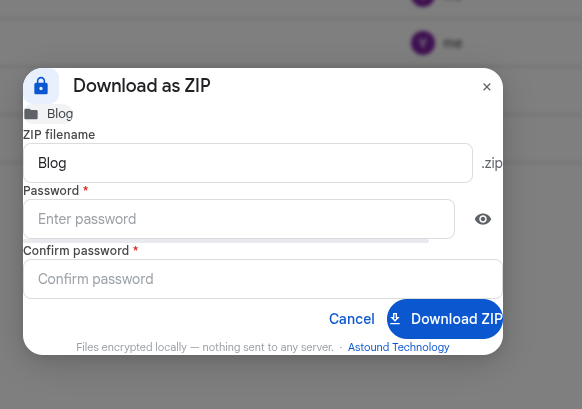
Password & Encryption
Set a password with visual strength feedback. AES-256 encryption keeps your files safe.
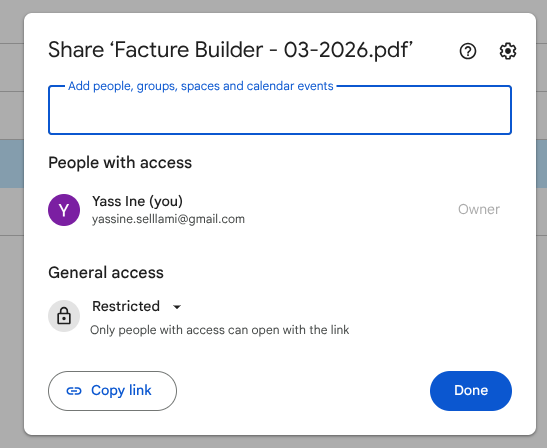
Progress & Checksum
Real-time progress tracking with optional SHA-256 checksum verification.
Three steps to encrypted
Google Drive downloads
Install & Open Google Drive
Add AstoundDrive from the Chrome Web Store and navigate to drive.google.com.
Select Folder & Set Password
Right-click any folder, click "Download ZIP," and set an encryption password.
Download Encrypted ZIP
All files are fetched, encrypted with AES-256, and saved to your device locally.
Download the Free Google Drive Encryption Extension
Free forever, no account required.
v1.0.0 — Chrome 109+
Chrome
Web Store
Firefox
Add-ons Store
Learn How to Get the Most from AstoundDrive
Step-by-step guides, comparisons, and use cases for downloading and encrypting Google Drive folders.
How to Download a Google Drive Folder as ZIP
Step-by-step guide to download any Google Drive folder as an encrypted ZIP file.
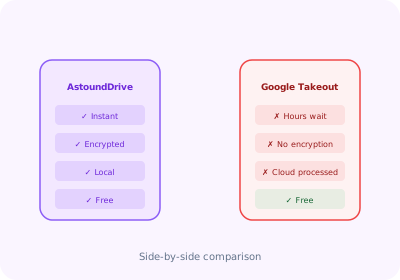
AstoundDrive vs Google Takeout
See why AstoundDrive is the faster, more secure alternative to Google Takeout.
Backup Google Drive Folders
Create AES-256 encrypted backups of your Google Drive folders locally.
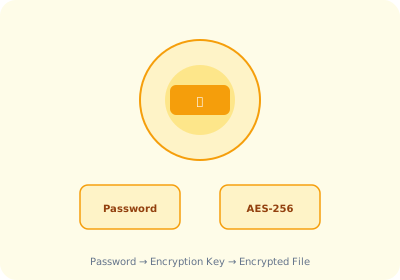
Encrypt Google Drive Files
Password-protect your Google Drive downloads with AES-256 encryption.
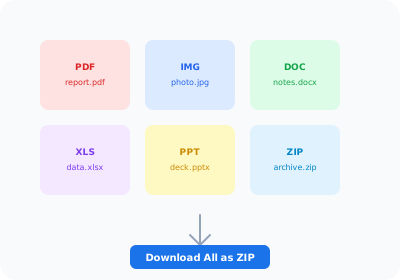
Bulk Download Google Drive
Download multiple Google Drive files and folders at once as a single encrypted ZIP.
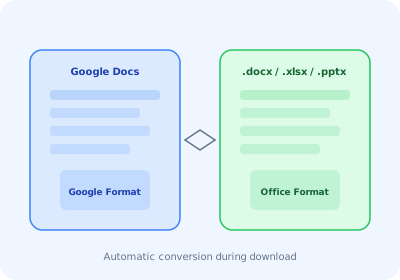
Export Google Workspace Files
Auto-export Google Docs, Sheets, and Slides to .docx, .xlsx, .pptx formats.
Frequently Asked Questions
Is AstoundDrive really free?
Yes! AstoundDrive is 100% free with no premium features, subscriptions, or hidden costs. All features including AES-256 encryption and SHA-256 checksums are available to all users.
Does AstoundDrive see my files?
No. All files are processed entirely within your browser. AstoundDrive downloads files directly from Google Drive to your device and builds the ZIP locally. Nothing is ever uploaded to external servers.
What encryption is used?
AstoundDrive uses AES-256 encryption, the same standard used by governments and financial institutions. Your password never leaves your device. ZIP files are encrypted before being saved to your computer.
Which file types are supported?
AstoundDrive downloads all regular files from your Google Drive folders. Google Workspace files (Docs, Sheets, Slides, Drawings) are automatically exported to standard formats: .docx, .xlsx, .pptx, and .png. Subfolder structures are fully preserved.
Does it work with shared or Team Drives?
Yes! AstoundDrive works with both My Drive and shared/team drives. As long as you have view access to the folder in Google Drive, you can download it as a ZIP. No special configuration needed.
Ready to Secure Your Google Drive Downloads?
Join users who trust AstoundDrive for encrypted, local, privacy-first Google Drive folder downloads.